
ZXN Studio is a creative workspace for Mac that combines screen recording, video editing, background removal, and motion graphics in one integrated tool. Ideal for creators, designers, and content producers who need a unified platform to capture, edit, and enhance videos without switching between multiple applications.
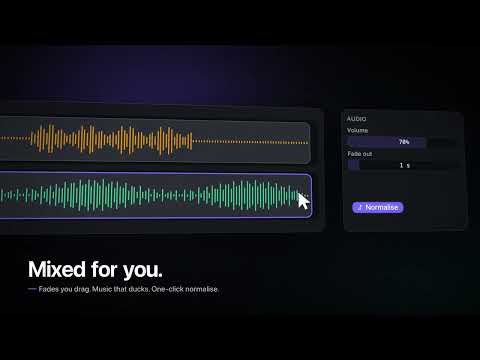


Latest updates from ZXN Studio
tillythecoder Latest
ZXN Studio also have an iOS app coming over the next week. It will be included in the subscription with the same payment model as the desktop app
5 0I'm launching ZXN Studio today. It's a video editor and recording tool built for local AI models. You can use various background removal models that runs locally to polish your video or use text effects to polish your content.
Other features include:
- local transcription of video
-effects such as rain or confetti
- transitions like slide up or slide down
- multiple timelines
- import of 3d models, camera and so on
- camera is separate from your video recording
- text occlusion
- keyframe editor2 3
About ZXN Studio
ZXN Studio is a design product listed on Uneed, with a free tier and paid plans. It's tagged with Video, Screen Recording. See the best Video products for related options.
Frequently asked questions about ZXN Studio
What is ZXN Studio?
ZXN Studio is all-in-one screen recording, editing, and effects for Mac.
Is ZXN Studio free?
ZXN Studio offers a free tier with paid plans available for additional features.
What are alternatives to ZXN Studio?
Discover similar video, screen recording, motion & animation products in the Uneed directory.
What category does ZXN Studio belong to?
ZXN Studio is listed under Design on Uneed.
What users say about ZXN Studio
Mr Terry CarsonZXN Studio is the real deal. I’ve cycled through too many screen recorders that hand you a trimmed bar of footage and call it editing. ZXN Studio is different — it drops your screen and camera onto an actual multi-track timeline, so you can move, resize, and keyframe things properly after the fact.The background removal is wild. No green screen, no cloud upload. It just runs on your Mac, keeps the original clip intact, and lets you refine edges if you need to. As someone who is tired of apps phoning home with my footage, the local-only processing is a genuine relief.I’m also a sucker for the motion graphics workflow — you can write TSX compositions and render them frame-exact on the timeline. For devs who want to tweak text and animations in code rather than hunting through dropdown menus, it’s genuinely joyful.And the free plan is actually free. Whole editor, no account, no forced trial countdown. You only pay when you need 4K, ProRes, or the premium looks. That feels honest.If you’re on a Mac and you record anything — demos, tutorials, bug reports — give it a shot. It’s rare to find a tool that respects both your time and your machine.
User reviews
Log in to leave a reviewZXN Studio is the real deal. I’ve cycled through too many screen recorders that hand you a trimmed bar of footage and call it editing. ZXN Studio is different — it drops your screen and camera onto an actual multi-track timeline, so you can move, resize, and keyframe things properly after the fact.
The background removal is wild. No green screen, no cloud upload. It just runs on your Mac, keeps the original clip intact, and lets you refine edges if you need to. As someone who is tired of apps phoning home with my footage, the local-only processing is a genuine relief.
I’m also a sucker for the motion graphics workflow — you can write TSX compositions and render them frame-exact on the timeline. For devs who want to tweak text and animations in code rather than hunting through dropdown menus, it’s genuinely joyful.
And the free plan is actually free. Whole editor, no account, no forced trial countdown. You only pay when you need 4K, ProRes, or the premium looks. That feels honest.
If you’re on a Mac and you record anything — demos, tutorials, bug reports — give it a shot. It’s rare to find a tool that respects both your time and your machine.
This product has no rewards yet.
This product has no deals yet.
Publisher
Launch Date
2026-09-21Category
DesignPricing
FreemiumSocials
Best products in the same categories
Upvoted by








Related tools

OldRoll
OldRoll turns everyday photos into vintage memories, free online.

MixVio AI
Create AI videos, images, and audio with transparent pricing

SmoothRecorder
Record Beautiful Demos Without Editing

PAMA AI
AI comic generator for consistent characters and visual storytelling

Rmark AI
Remove backgrounds, watermarks & subtitles from images & videos